

Redpanda Console
Redpanda Console is a web application that helps you manage and debug your Kafka workloads, as well as Kafka protocol-compatible systems such as Redpanda and WarpStream.
Prerequisites
Section titled “Prerequisites”- WarpStream account - get access to WarpStream by registering here.
- WarpStream cluster up and running.
- Docker installed.
Step 1: Retrieve the WarpStream Bootstrap Broker URL and SASL credentials
Section titled “Step 1: Retrieve the WarpStream Bootstrap Broker URL and SASL credentials”In the WarpStream Console, navigate to the Connect tab for your cluster, and copy the Boostrap Broker URL and port.
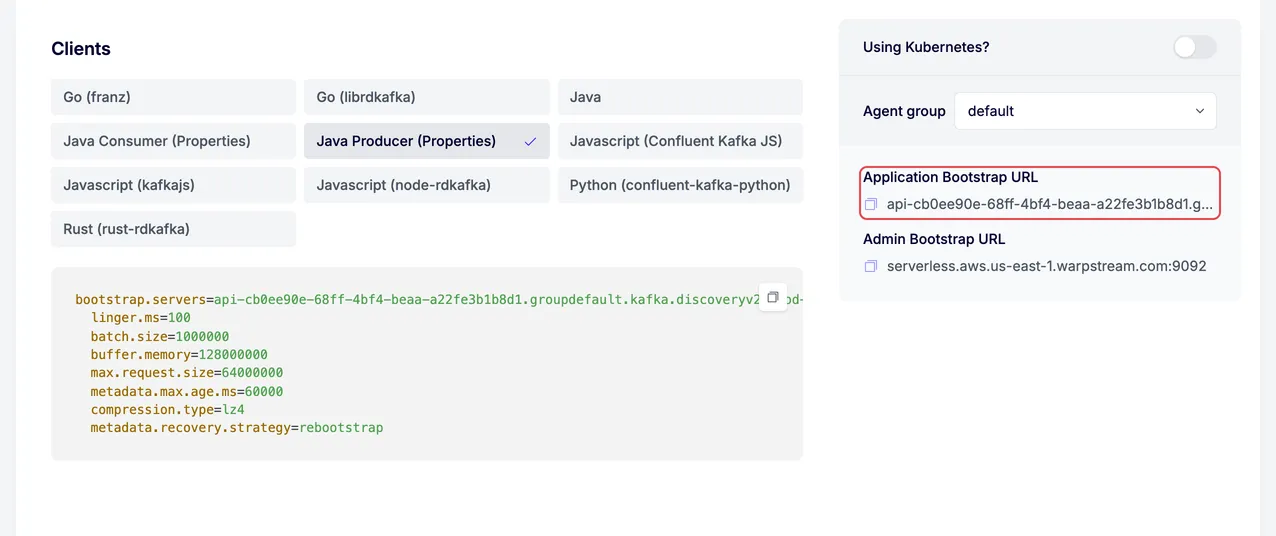
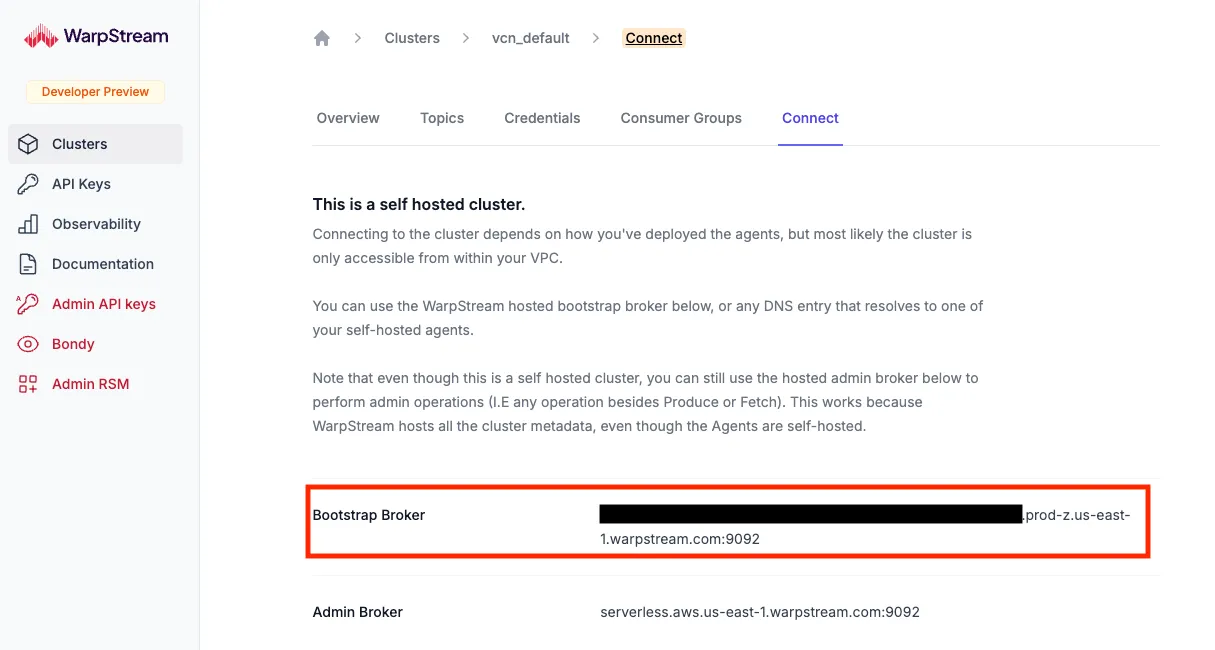
Next, navigate to the Credentials tab and click New Credentials.
Store the Bootstrap URL and credentials in environment variables for convenient access:
export WARPSTREAM_BOOTSTRAP_HOST=<YOUR_BOOTSTRAP_BROKER> \WARPSTREAM_SASL_USERNAME=<YOUR_SASL_USERNAME> \WARPSTREAM_SASL_PASSWORD=<YOUR_SASL_PASSWORD>;Step 2: Deploy Redpanda Console in a Docker container
Section titled “Step 2: Deploy Redpanda Console in a Docker container”Use your Bootstrap Broker URL and SASL credentials to start Redpanda Console:
docker run -p 8080:8080 -e KAFKA_BROKERS=$WARPSTREAM_BOOTSTRAP_HOST -e KAFKA_TLS_ENABLED=true -e KAFKA_SASL_ENABLED=true -e KAFKA_SASL_USERNAME=$WARPSTREAM_SASL_USERNAME -e KAFKA_SASL_PASSWORD=$WARPSTREAM_SASL_PASSWORD docker.redpanda.com/redpandadata/console:latestStep 3: Open Redpanda Console
Section titled “Step 3: Open Redpanda Console”In your browser, navigate to localhost:8080 to open Redpanda Console.
You can now use Redpanda Console to inspect and manage your WarpStream cluster.
Next steps
Section titled “Next steps”Next, check out the Redpanda Console repo on GitHub, or get started with any of the other Integrations between WarpStream and other data systems!