

Kestra
This page describes how to integrate WarpStream with Kestra. Kestra is an event-driven data orchestration platform with a UI and command-line interface.
A video walkthrough can be found below:
Prerequisites
Section titled “Prerequisites”- WarpStream account - get access to WarpStream by registering here.
- Install and run Kestra - instructions are here.
- Serverless WarpStream cluster up and running - explanation is below.
Step 1: Create a cluster and topic in WarpStream
Section titled “Step 1: Create a cluster and topic in WarpStream”You will need a running cluster that contains a topic with data. For this example, we will use the WarpStream tutorial cluster and topic that you get the first time you create a WarpStream cluster.
Obtain the Bootstrap Broker from the WarpStream console by navigating to your cluster and clicking the Connect tab. If you don’t have SASL credentials yet, you can also create a set of credentials from the console.
Store these values for easy reference; they will be needed in Kestra. If you are going to produce records to your topic from the command line, then export them as environment variables in a terminal window:
export BOOTSTRAP_HOST=<YOUR_BOOTSTRAP_BROKER> \SASL_USERNAME=<YOUR_SASL_USERNAME> \SASL_PASSWORD=<YOUR_SASL_PASSWORD>;Then, create a topic in the WarpStream console if you don’t already have one. Ensure data is being produced to a topic for Kestra to act on.
Step 2: Produce some records
Section titled “Step 2: Produce some records”You can use the WarpStream CLI to produce messages to your topic if you don’t have one already:
warpstream kcmd -bootstrap-host $BOOTSTRAP_HOST -tls -username $SASL_USERNAME -password $SASL_PASSWORD -type produce -topic kestra_demo --records '{"action": "click", "user_id": "user_0", "page_id": "home"},,{"action": "hover", "user_id": "user_0", "page_id": "home"},,{"action": "scroll", "user_id": "user_0", "page_id": "home"},,{"action": "click", "user_id": "user_1", "page_id": "home"},,{"action": "click", "user_id": "user_1", "page_id": "home"},,{"action": "click", "user_id": "user_2", "page_id": "home"}'Note that the WarpStream CLI uses double commas (,,) as a delimiter between JSON records.
Step 3: Configure Kestra
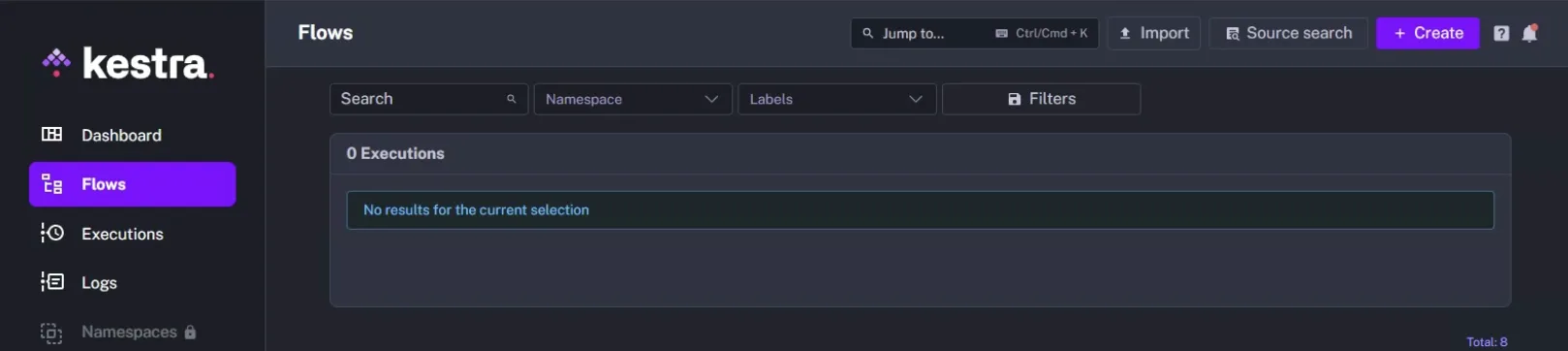
Section titled “Step 3: Configure Kestra”In the Kestra interface, you will start under Flows and select Create.
This will present you with the Kestra editor, which contains our example YAML.
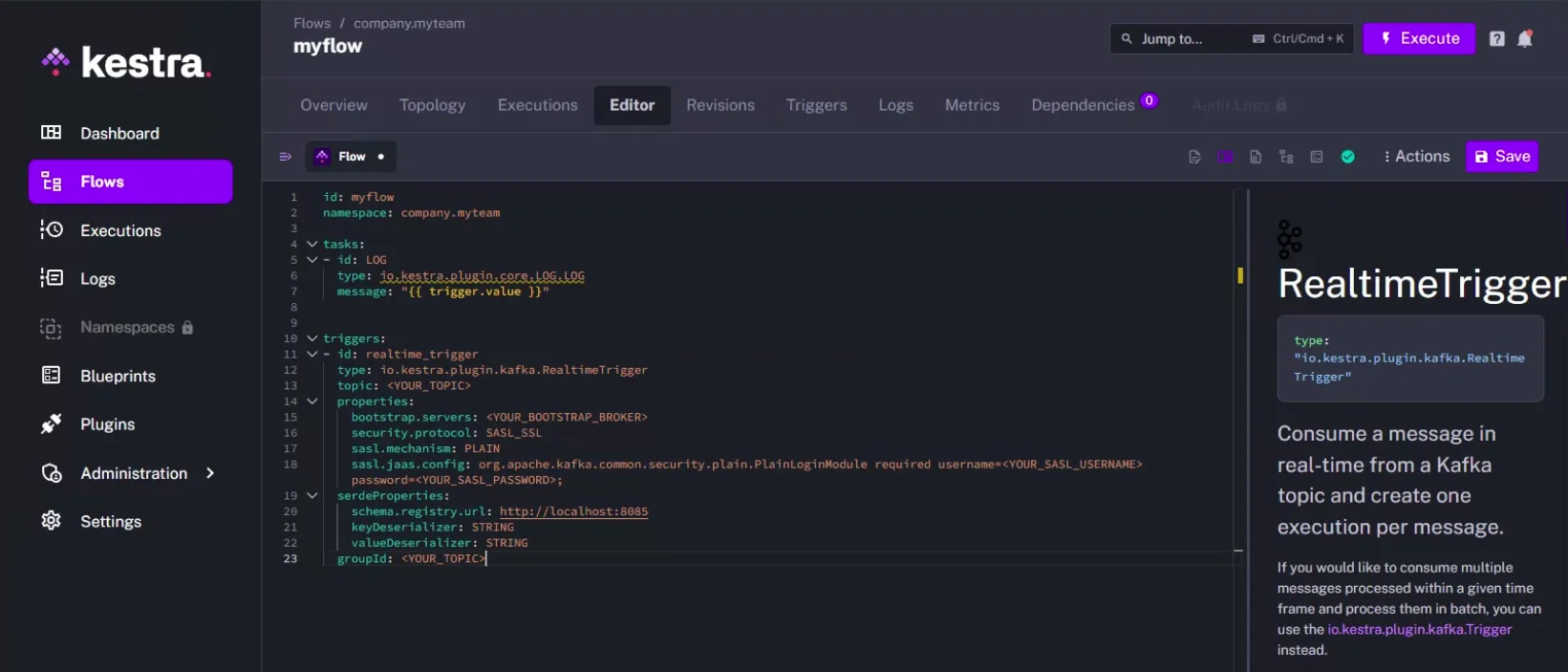
This example will use the Kestra “Real Time Trigger” feature to execute an action whenever a record arrives in the stream. Where you see the id: and type: under triggers: is where we specify and name the feature. Fill in all the fields from WarpStream that are denoted with <YOUR_...> and the resulting flow will then read from your WarpStream producer, and for every record that arrives, it will trigger the action under tasks: which, in this case, will write the message to a log file that is contained in trigger.value.
id: myflownamespace: company.myteam
tasks:- id: LOG  type: io.kestra.plugin.core.LOG.LOG  message: "{{ trigger.value }}"
triggers:- id: realtime_trigger  type: io.kestra.plugin.kafka.RealtimeTrigger  topic: <YOUR_TOPIC>  properties:    bootstrap.servers: <YOUR_BOOTSTRAP_BROKER>    security.protocol: SASL_SSL    sasl.mechanism: PLAIN    sasl.jaas.config: org.apache.kafka.common.security.plain.PlainLoginModule required username=<YOUR_SASL_USERNAME> password=<YOUR_SASL_PASSWORD>;  serdeProperties:    schema.registry.url: http://localhost:8085    keyDeserializer: STRING    valueDeserializer: STRING  groupId: <YOUR_TOPIC>
Step 4: Conditional logic
Section titled “Step 4: Conditional logic”The Kestra trigger can be enhanced with conditional logic. For example, your WarpStream topic is a series of IoT status messages; you could look for a string with a value of “error” and log it appropriately. This is illustrated in the following example that would replace the tasks: section from the previous example:
tasks:- id: if_condition type: io.kestra.plugin.core.flow.If condition: "{{ trigger.value == 'error' }}" then: - id: log type: io.kestra.plugin.core.log.Log message: "Error message: {{ execution.id }}" else: - id: log_else type: io.kestra.plugin.core.log.Log message: "Nothing to worry about."Next Steps
Section titled “Next Steps”Congratulations! You’ve set up a stream processing pipeline between WarpStream and Kestra and triggered an action based on both activity and conditional logic processing.
Next, check out the WarpStream docs for configuring the WarpStream Agent, or review the Kestra docs to learn more about what is possible with WarpStream and Kestra!